News Today: Local & Alerts
- 4.4
- Rating
- 1.00M
- Installs
- Free
- Price

 Analysis by App-foxy
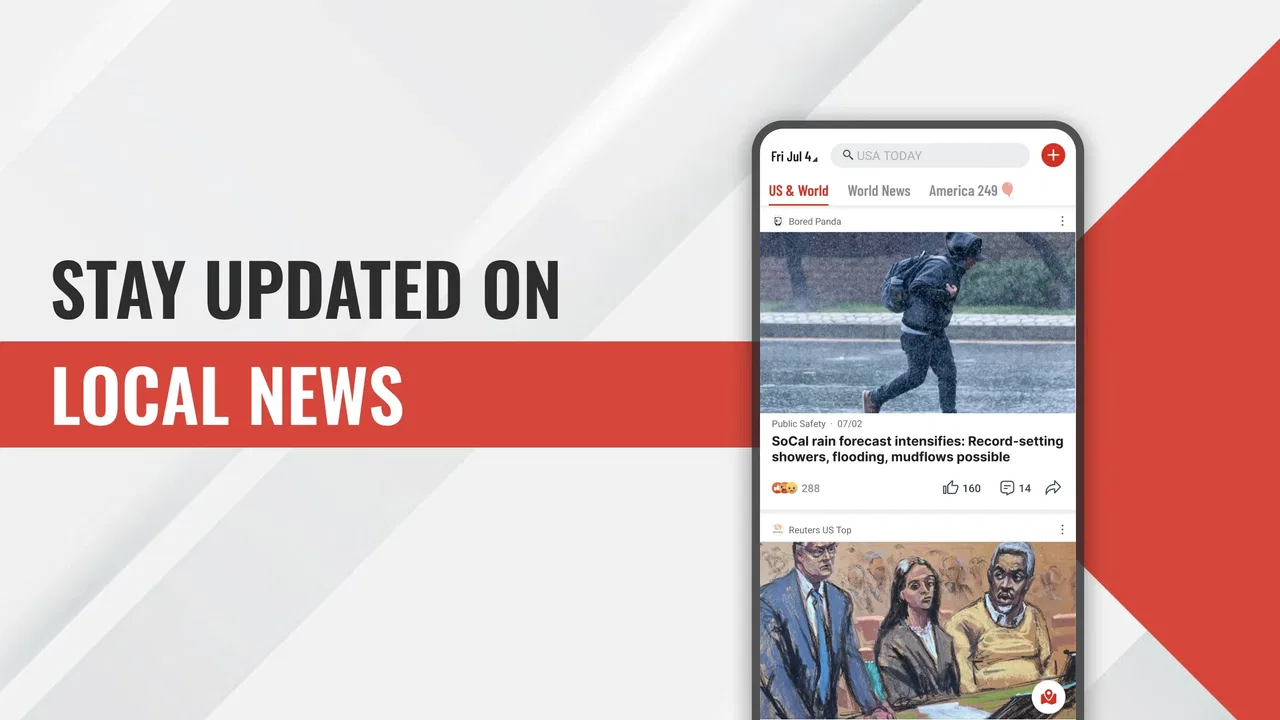
I tend to judge a news app less by how many headlines it displays and more by how well it behaves when I am moving, distracted, or waiting for information that matters right now. Breaking News: Local & Alerts is built around that practical need. It is a free news and magazines app from Apps Skyline, with local coverage, urgent notifications, US headlines, international stories, and weather gathered into one mobile destination. I found its appeal strongest when a quick check was more useful than opening several separate news sources.
The app is available to Everyone and runs on Android 8.0 or later. Its current version is 1.12.1, and its 4.4 average from around 3,100 ratings suggests that many users find the basic experience dependable. More than 1 million installs also make it a familiar choice rather than an obscure experiment. Still, popularity does not remove the need to understand how it works in real conditions, especially because a news reader is closely tied to network quality, notification timing, and the amount of attention a person can spare.
How the app feels when the connection is doing the work
The first thing I noticed is that the experience depends heavily on being connected. Headlines, changing stories, weather information, and breaking alerts are all most useful when the app can reach current content. That sounds obvious, but it changes how I use it: I treat Breaking News: Local & Alerts as a live window rather than a newspaper I can casually prepare for a long offline journey.
You May Also Like

 Blood Strike: 2.5 Anniversary
Blood Strike’s Loadouts Turn Every Drop Into a Tactical Gamble
A close look at Blood Strike’s custom loadouts: how fast access to signature weapons reshapes its battle royale rhythm, rewards preparation, and narrows the gap between fights.

 Pandora - Music & Podcasts
Pandora’s Music Is Easy to Start, but Harder to Recover
Pandora’s strength is its low-effort path from a seed to a station. Its weak spot is how much confidence it asks you to place in connection, setup, and quiet recovery.

 8 Ball Pool
 Is Built on Rivalries, Rematches, and Routine
A close look at the rivalries, rematches, shared routines, and unanswered safety questions that turn a quick pool match into a persistent mobile community.

 Samsung Music
’s Quiet Strength Is Playing What You Already Own
Its reach comes less from spectacle than from dependable access to a personal library. That simplicity is both the app’s strongest retention engine and its ceiling.

 AccuWeather: Weather Radar
AccuWeather Review: A Quick, Clear Forecast for Everyday Decisions
For everyday plans, the best forecast is the one you can understand quickly. AccuWeather makes rain timing, radar, and local conditions easy to act on, with a few trade-offs.

 Hill Climb Racing
Why Hill Climb Racing Still Turns Crashes Into One More Run
A tiny car, a bumpy hill and one more upgrade: Hill Climb Racing keeps resurfacing because its simple chaos makes every near-miss feel personal.
More From Our News Desk
View All News


At home or on a stable Wi-Fi connection, the app makes sense as a quick morning scan. I can move from local developments to wider US coverage, then check international news or weather without switching between unrelated apps. The value is not simply having several subjects in one place. It is the reduced friction of checking the general shape of the day before deciding which story deserves deeper reading.
On mobile data, the same convenience comes with a trade-off. A breaking-news app is expected to refresh often, but frequent checking can become wasteful if I open it repeatedly without a clear purpose. My practical approach is to use alerts for genuinely important updates and open the app when I have enough connection and attention to read beyond a headline. That keeps the service useful instead of turning every notification into a reason to interrupt my day.
A weak signal creates a different kind of problem from a fully disconnected phone. The app may open, but the information I want may be slow to appear or may change while I am waiting. In that situation, I would not use the first visible headline as a complete picture. I would give the page time to refresh, then revisit the story later if the subject is important. This is especially relevant for developing events, where an early headline can be less informative than a later update.
The most important habit is to separate an alert from a full understanding of the story. A notification is useful for telling me that something has changed; it is not automatically enough context for deciding what happened, who is affected, or what I should do. Breaking News: Local & Alerts works best when I use its fast signal as the beginning of a check, not as my only source for serious decisions.
Local information is most useful when location and attention meet
Local news has a different rhythm from national or world coverage. A nearby road problem, weather change, public-safety update, or community event can matter more to my day than a major story several states away. The app’s local focus gives it a practical role during a commute or before leaving home, but the usefulness depends on how relevant the selected local coverage is to where I actually spend time.
I would open it before a morning trip, especially when the forecast looks uncertain or there has been unusual activity in the area. A quick check can help me decide whether to leave earlier, carry different clothing, or postpone a nonessential errand. The app is not a substitute for official instructions during an emergency, but it can help me notice that I should look for those instructions.
One subtle advantage of combining local news and weather is that it encourages a more realistic reading routine. Instead of checking a forecast in isolation, I can compare it with nearby reporting and then decide whether the conditions are merely inconvenient or likely to affect plans. That is a better use of a short phone session than endlessly scrolling through unrelated headlines.
Why the mobile setting changes the reading experience
I found the app most natural in short sessions: standing in line, taking a break, or sitting down before a meeting. Its subject mix supports quick orientation, which is different from reading a long-form publication at a desk. The phone becomes a dashboard for deciding what deserves more time later.
That format also exposes a limitation. If I want detailed investigations, a carefully organized newspaper edition, or a deep archive around one subject, a dedicated publication may be a better fit. A broad news app can help me discover what is happening, but it may not provide the same depth or editorial identity as a specialist source. I would keep a trusted source for important topics and use this app as a convenient first pass.
For travel, the network question becomes central. I would check current stories before entering an area with unreliable reception rather than assume that everything I need will remain available. This is one of the most important practical differences between a live news app and saved articles or a downloaded newspaper: the live service is strongest while the connection is available, so timing matters.
Notifications also need personal discipline. If I allow every update to compete for my attention, the app can become noisy even when the individual alerts are relevant. I prefer to think of alerts as a filter I should manage according to my routine. During work or sleep, fewer interruptions are usually better; during a major local event, timely updates may be worth the disruption. The right balance is personal, but the decision should be deliberate.
What happens when a refresh does not go smoothly
News apps are judged most harshly when something is happening, because that is when expectations are highest. If a story does not load immediately, I first check whether the rest of the phone has a working connection. A crowded station, a weak indoor signal, or a temporary network handoff can make the app appear unreliable when the real issue is the connection itself.
If the problem continues, I would avoid repeatedly refreshing in a loop. That rarely produces better information and can consume attention and mobile data. Instead, I would close the app, wait for a stronger connection, or check an official channel when the matter is urgent. Once access returns, I would look for the newest update rather than assuming that the first headline I saw is still current.
This recovery routine matters because breaking coverage changes quickly. A delayed page can leave a person with an incomplete impression, while a restored connection may present a substantially different headline. I appreciate a news tool more when it encourages calm verification than when it simply pushes speed. In practice, the app is most trustworthy as part of a layered routine: alert, open, read, and confirm when the consequences are serious.
There is also a useful distinction between an app failure and an information gap. If local reporting is quiet, that does not necessarily mean nothing is happening; it may mean the event has not been covered yet. Likewise, an international headline may be easier to find than a small neighborhood update. I would not treat the app’s front page as a complete map of reality. It is a convenient stream, and streams have limits.
For that reason, I would not rely on it alone for evacuation instructions, medical choices, financial decisions, or other situations where official and specialized information is essential. The app can point me toward a developing issue, but the final action should come from the responsible authority or a source with the necessary detail.
Using the app without wasting mobile data or attention
My most effective data-conscious workflow is simple: check the app at planned moments instead of opening it every few minutes. A morning scan, a midday check, and an evening review are enough for ordinary days. I would make exceptions for a local situation that directly affects travel or safety, but constant refreshing adds little value when the news has not materially changed.
Weather is another area where restraint helps. I do not need to reopen a weather view every time I glance at my phone. I check it when I am deciding what to wear, whether to travel, or whether an outdoor plan needs adjustment. Combining that check with local headlines makes the session more purposeful and reduces the temptation to browse without a clear question.
On a limited data plan, I would reserve longer reading for Wi-Fi when possible and use mobile data for quick headline checks. I would also avoid treating every alert as an invitation to open the full app immediately. A notification can tell me whether a story is relevant; if it is not, ignoring it is a perfectly sensible form of data and attention management.
There is a trade-off here. The fastest possible awareness usually requires more frequent connectivity, while the most economical routine requires patience. Breaking News: Local & Alerts is better suited to someone who wants a current overview and is willing to manage that balance than to someone who wants a completely passive, always-on news feed with no interruptions or network concerns.
I also recommend reading headlines with a purpose. Before opening the app, I ask myself whether I need local conditions, a broad national overview, international context, or weather. That small habit turns the app into a tool rather than a reflex. It is one of the less obvious ways to get more value from a broad news service: the quality of the session improves when I arrive with a question.
How it compares with familiar news habits
Compared with a single newspaper app, this service feels broader and less tied to one publication’s daily structure. That is useful when I want a quick mixture of local, US, world, and weather information. The compromise is that people who already trust one publication’s reporting style may prefer its deeper context and more recognizable editorial voice.
Compared with social media, the app offers a more focused starting point. Social feeds can surface news quickly, but they also mix reporting with commentary, repetition, and unrelated posts. I find a dedicated news screen easier to use when I want to know what is happening without entering a conversation. Social platforms may still be faster for eyewitness discussion, but they require more effort to judge what is reliable.
Compared with a weather-only app, Breaking News: Local & Alerts is more useful for a complete daily check, but less specialized if weather is the only thing I care about. A weather specialist may be the better choice for detailed forecasting needs. Similarly, someone who wants only local civic information may prefer a local publication or official municipal channel.
The app’s strongest position is between those extremes. It is a convenient general-purpose news companion for people who want several kinds of current information in one place and do not want to build a routine around multiple separate services. Its weakness is the same breadth: a wide stream cannot replace a specialist source whenever depth, authority, or a narrow subject focus matters more than speed.
Who will get the most from this app
I would recommend it to a commuter who wants a quick local and weather check before leaving, a busy reader who needs a broad overview in short sessions, or someone who wants breaking alerts alongside national and international headlines. It also suits people who prefer a free starting point before deciding which stories deserve a longer read elsewhere.
I would be more cautious about recommending it to someone with unreliable connectivity who expects full access during travel, or to a reader who wants a carefully edited newspaper experience with extensive analysis. It is also not the right sole source for high-stakes instructions. In those cases, official channels and specialist publications should take priority.
The fact that Apps Skyline has built an app with over 1 million installs and a 4.4 average from around 3,100 ratings gives it a reassuring level of adoption, but I still judge it by fit rather than popularity. The free price makes trying it low-risk, and the Everyone age rating keeps it broadly accessible. Those are practical advantages, especially for households looking for a simple news option.
My connectivity verdict
After using Breaking News: Local & Alerts as a mobile news companion, I see its main strength clearly: it brings local developments, urgent updates, wider headlines, and weather into a single routine without charging for access. It is convenient when the network is stable and when I want orientation rather than a deep dive.
Its main limitation is equally clear. This is a live, connection-dependent experience, so the quality of the session can change with reception, timing, and notification habits. I would not plan around it as though it were a guaranteed offline reference, and I would not confuse a fast alert with complete reporting. Used with those boundaries in mind, it becomes much more useful.
My recommendation is to try it as a first-stop news dashboard, not as your only authority. Keep alerts purposeful, check it when you have a reliable connection, and follow important stories through official or specialist sources. For that role, the app is easy to justify: free, broadly accessible, and focused on the kind of quick awareness that fits real phone use. Its value comes less from replacing every other news habit and more from making the first check of the day faster and more connected to what is happening around you.
FAQs for News Today: Local & Alerts
01What features does the Breaking News: Local & Alerts app offer?
The Breaking News: Local & Alerts app provides real-time updates and notifications on local and global news stories. It offers customizable alert settings, allowing users to choose topics of interest. The app also features a user-friendly interface, with sections for different news categories, live video coverage, and integrated social media sharing for quick dissemination of news.
02How does the Breaking News app ensure the accuracy of its news alerts?
The app sources its news from reputable media outlets and employs a team of editors to verify information before sending alerts. It uses a combination of AI algorithms and human oversight to ensure the accuracy and reliability of the news. Users can also provide feedback on the credibility of stories, further enhancing the app's integrity.
03Are there any costs associated with using the Breaking News app?
The Breaking News: Local & Alerts app is free to download on both Android and iOS devices. While the basic features are free, there may be in-app purchases or subscription options for premium features, such as an ad-free experience or access to exclusive content. Users should check the app store listing for detailed pricing information.
04Can I customize the type of news alerts I receive?
Yes, the app allows users to customize their news alert preferences. You can select specific topics, such as politics, sports, or entertainment, and choose the frequency and priority of alerts. This customization ensures that you receive news that is relevant to your interests without being overwhelmed by notifications.
05Is the Breaking News app available offline?
While the Breaking News app requires an internet connection for real-time updates and notifications, it does offer some offline capabilities. Users can save articles for offline reading and access previously viewed content without an active internet connection. However, live updates and new alerts will require connectivity.
Pros
- Real-time news updates keep you informed.
- Customizable alerts for personalized news.
- User-friendly interface with easy navigation.
- Wide range of topics covered comprehensively.
- Offline reading mode for convenience.
Cons
- Frequent ads can be disruptive.
- Some articles have slow loading times.
- Limited international news coverage.
- Occasional notification glitches.
- No dark mode for night reading.

News Today: Local & Alerts
Gallery